iDryer Link — quick guide
Link is a connectivity module for iDryer. It plugs into the controller's Ethernet port and communicates with the control board through it (the port is used as a power + UART connector, not as a network interface). Link brings the dryer online and connects it to portal.idryer.org.
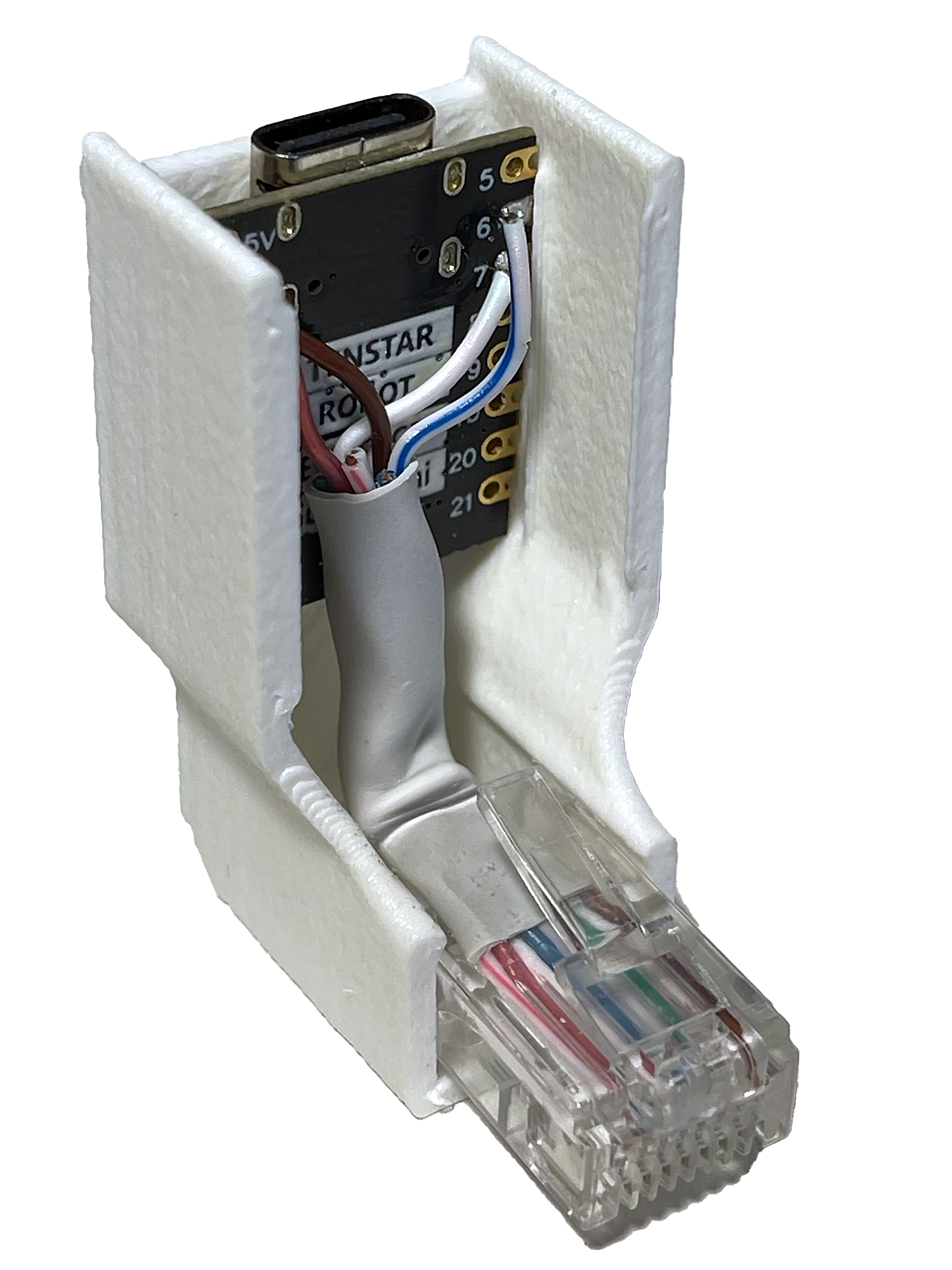
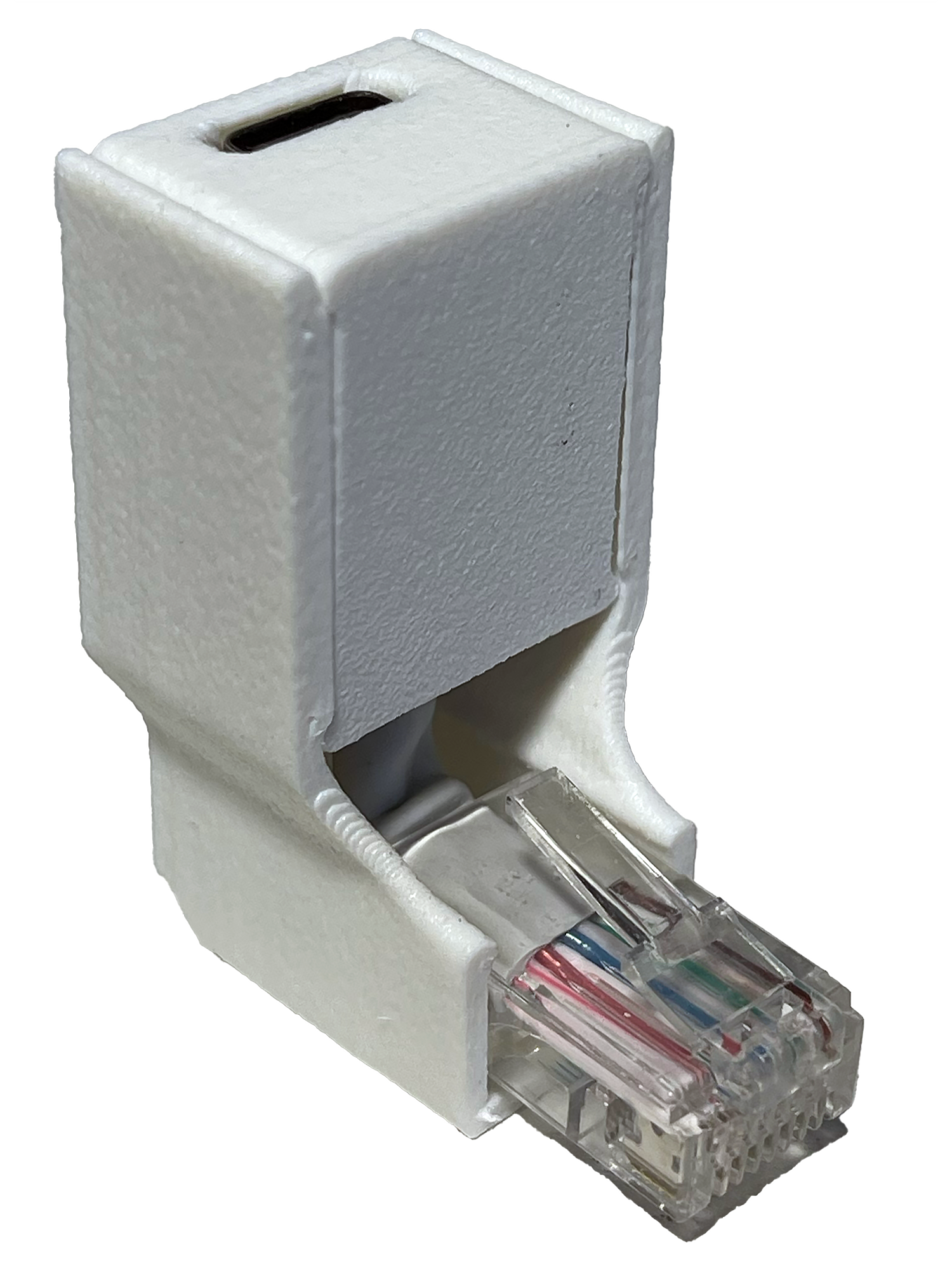
How to connect to the controller
Turn off controller power
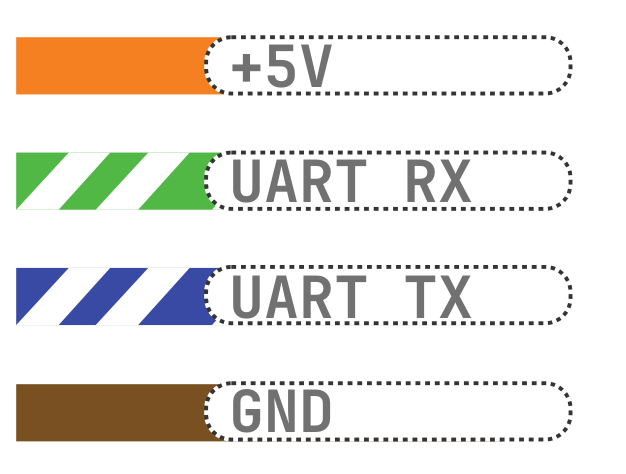
Assemble the RJ45 cable, following 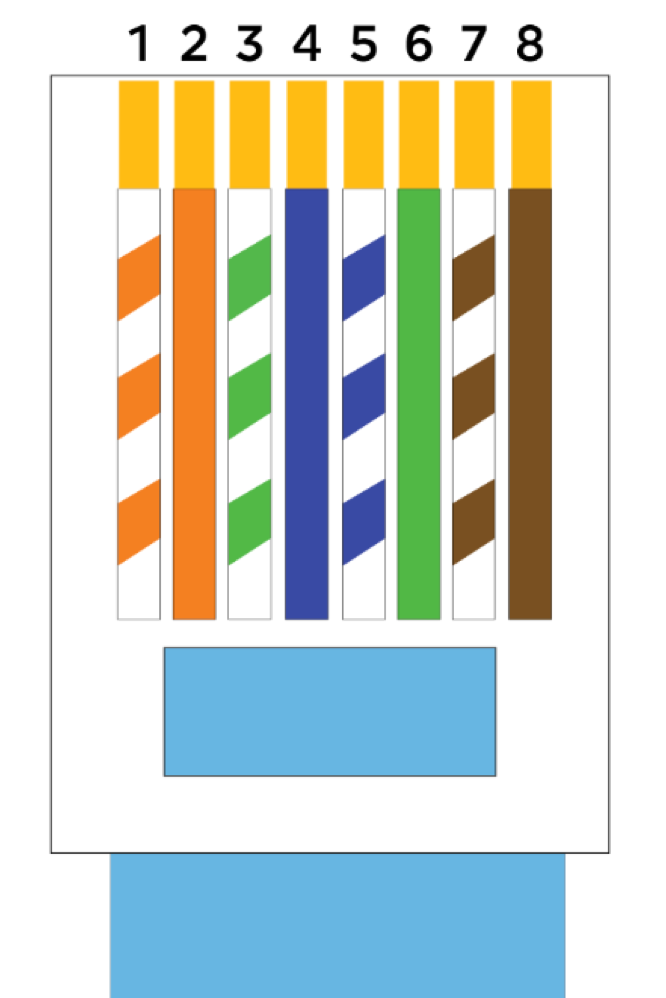 , so the pairs are not mixed up. Important: here RJ45 is just a power/UART connector; do not plug it into a network switch.
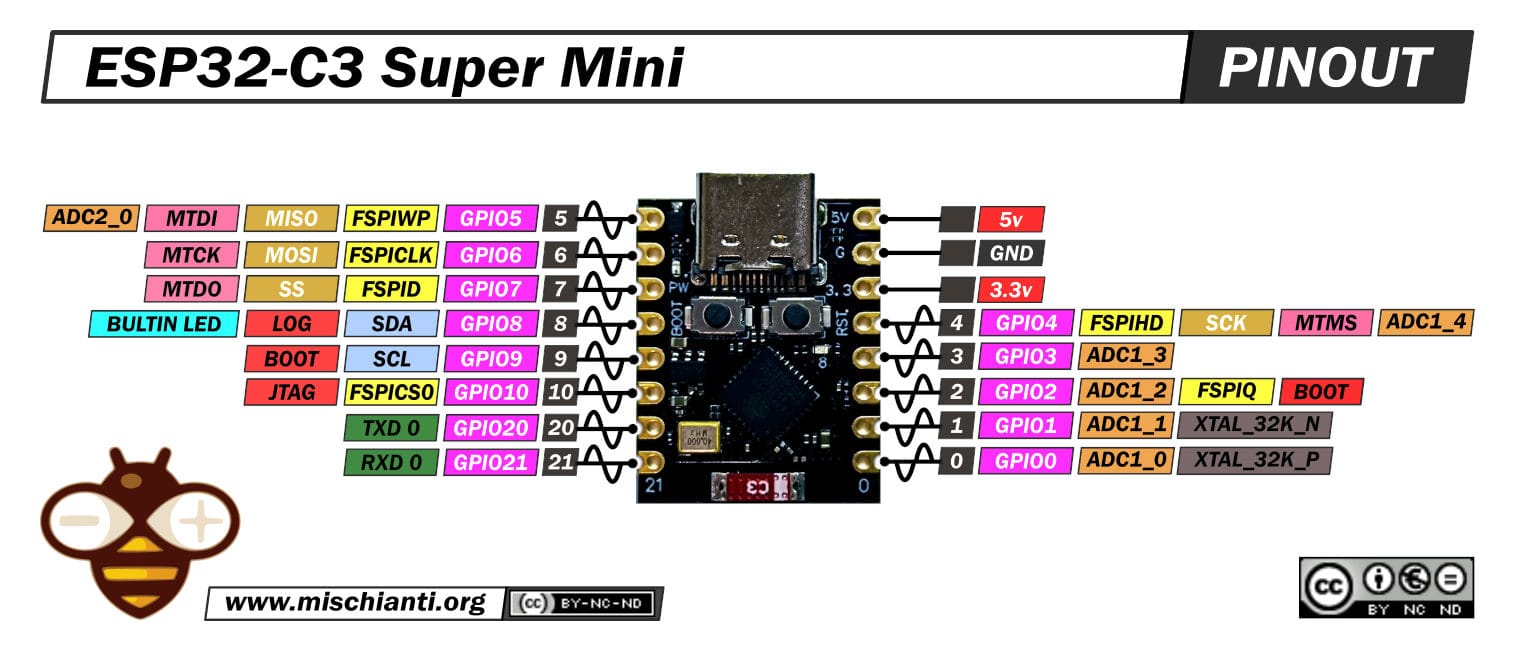
Connect wires to the ESP32-C3 Super Mini according to 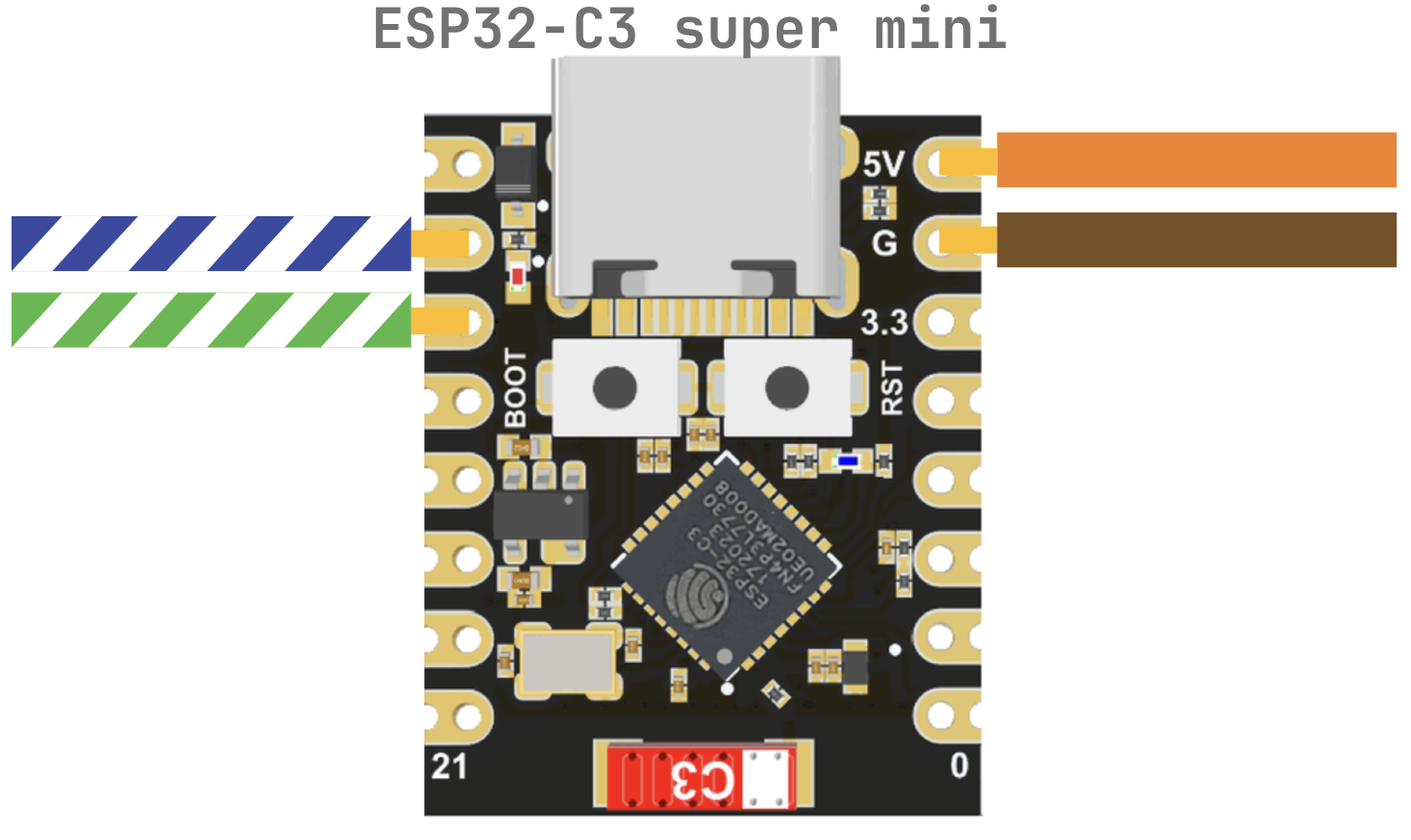
Depending on the type and manufacturer of the board, the location of the 6 and 7 pins may vary. Check the pinout provided by your board vendor.
ESP32-C3 Super Mini pinout
ESP32-C3 Zero (Waveshare) pinout
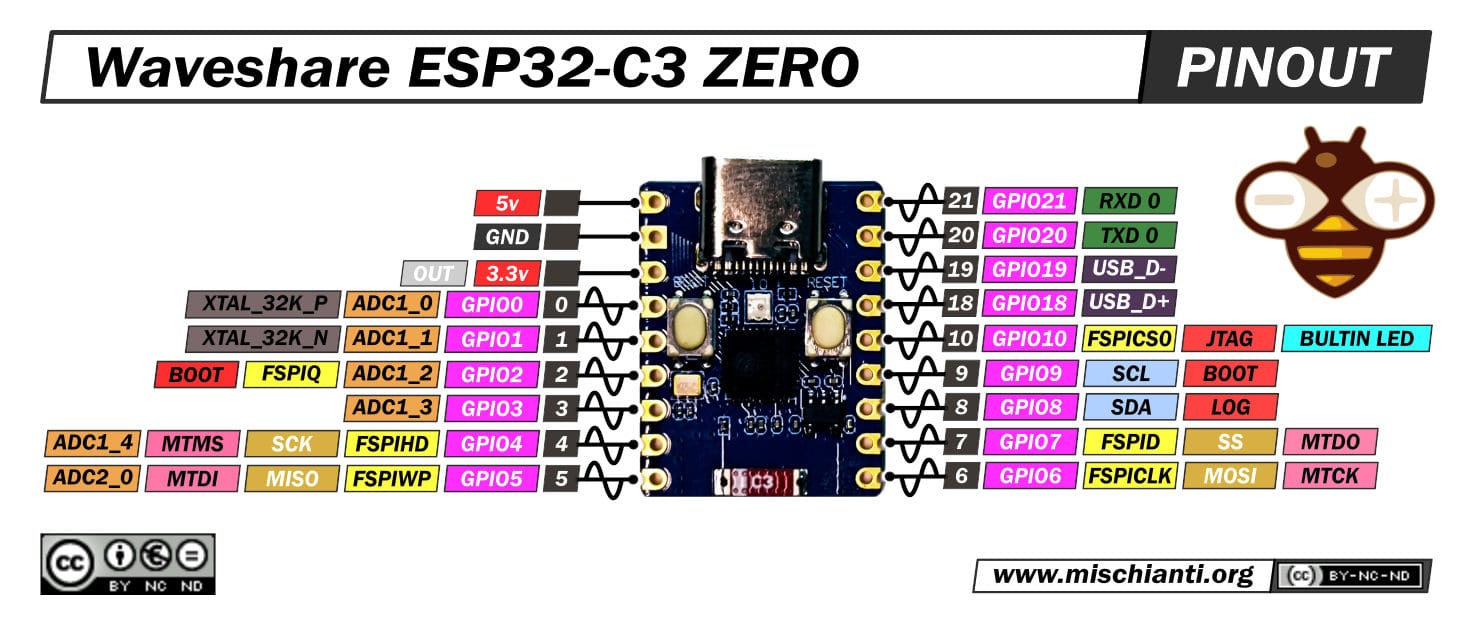
Likewise, by checking the pinout, you can connect any compatible development board.
Cable pinout
How to flash via the web flasher
The web flasher is available at https://install.idryer.org/
- Connect Link to a computer USB port.
- Open the page and select iDryer Link.
- Select the board:
ESP32-C3 super-mini— the main option for production modules.ESP32-C3 DevKit— if you have a development board.- Click Connect, select the serial port (usually
USB JTAG/serialorCH340). If flashing does not start, holdBOOTon the board and briefly pressRST. - Click Install. The flasher will automatically flash everything required.
- After 100%, the Improv wizard will open: enter Wi-Fi SSID and password, then wait for the "Connected" status.
- If the Improv wizard did not open, disconnect USB and reconnect, selecting Connect without reflashing.
Connecting to the portal
- Click Start Claim. A line
PIN:123456will appear - this is the PIN, valid for ~5 minutes. - Go to https://portal.idryer.org -> "Add device" -> enter the PIN. After successful linking, the device will appear in the list.
- Disconnect USB and connect Link to the controller via RJ45.
- Power on iDryer
- successful connection will be indicated by a blue "breathing" LED pattern
Expected result
- The controller sees Link immediately after power-on.
- In the web portal, the device appears online within 1-2 minutes after Wi-Fi connection.
- If status does not appear: recheck pinout using
../../img/RJ45.png, crimp quality, correct board selection in the flashing step, and port configuration in the iDryer menu.